
The Document Analysis Agent is an AI-powered document intelligence system within CA Office Automation that allows users to upload files and interact with them using natural language.
Instead of manually reviewing lengthy documents, users can simply upload a file and ask questions directly. The AI analyzes the content and instantly provides answers, summaries, insights, and reports.
Whether you're working with audit reports, bank statements, financial documents, agreements, data sheets, or compliance reports, the Document Analysis Agent helps you find information faster and make better decisions.
To access the Document Analysis Agent:
Navigate to:
CAOA AI Agents → Document Analysis Agent
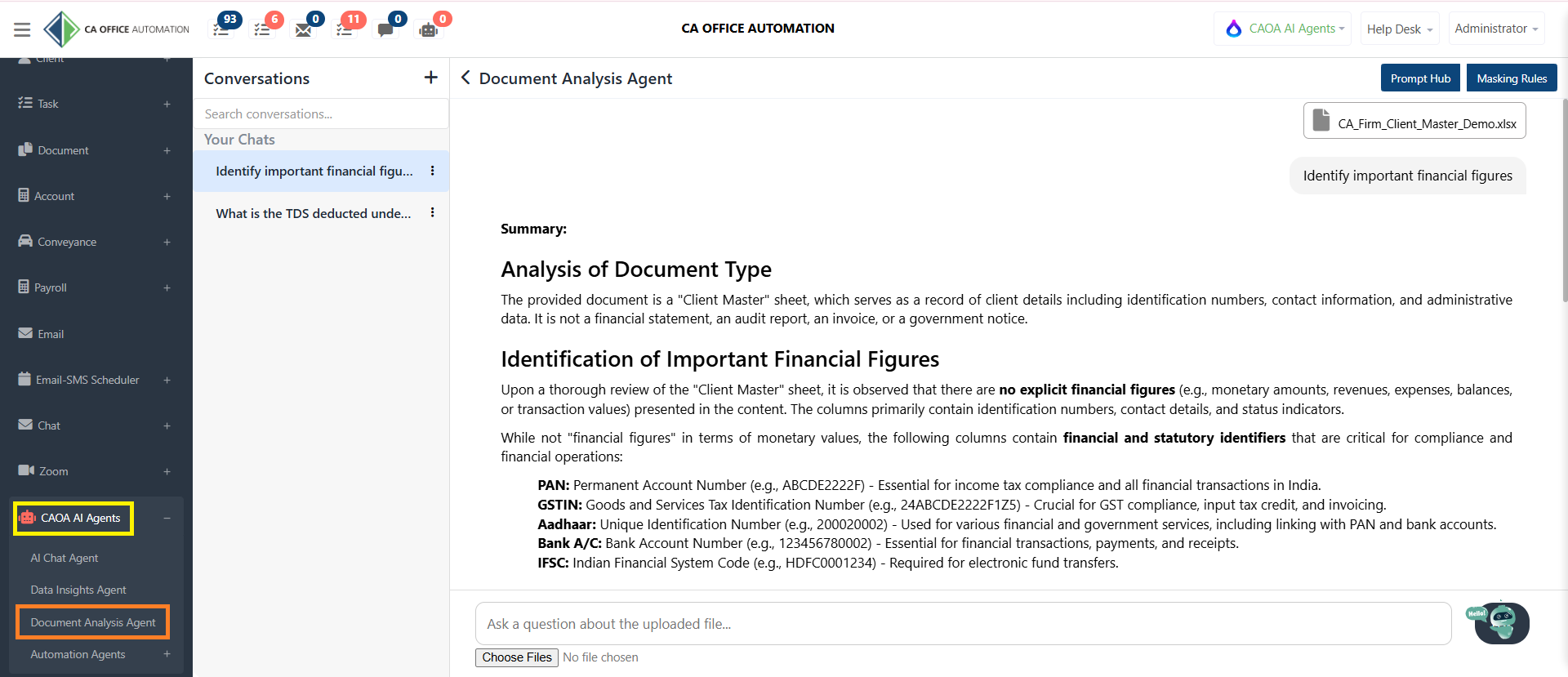
The system opens a conversational workspace where you can upload documents and start interacting with them.
To begin, simply upload your document using the file upload option available at the bottom of the screen.
You can upload various types of business and professional documents such as:
- Audit Reports
- Bank Statements
- Financial Statements
- Compliance Reports
- Data Sheets
- Agreements and Contracts
- Internal Documents
Once uploaded, the AI processes the document and prepares it for analysis.
After uploading the document, simply type your question in natural language.
For example:
- What is the TDS deducted under Section 194J?
- Summarize this report.
- Show key compliance observations.
- Identify important financial figures.
- Highlight risks and exceptions.
- Create a management summary.
The AI instantly searches the document and provides accurate answers based on the uploaded content.
The Document Analysis Agent doesn't just answer questions.
It can also:
- Generate document summaries
- Extract important information
- Identify compliance-related observations
- Create sub-reports
- Highlight key findings
- Present actionable insights
This significantly reduces manual document review effort and improves productivity.
All document conversations are automatically saved and displayed in the Conversations panel.
Users can:
- Continue previous discussions
- Search conversations
- Share conversations with team members
- Delete conversations when no longer required
- Start group chats for collaborative document review
This helps teams work together more efficiently on document analysis tasks.
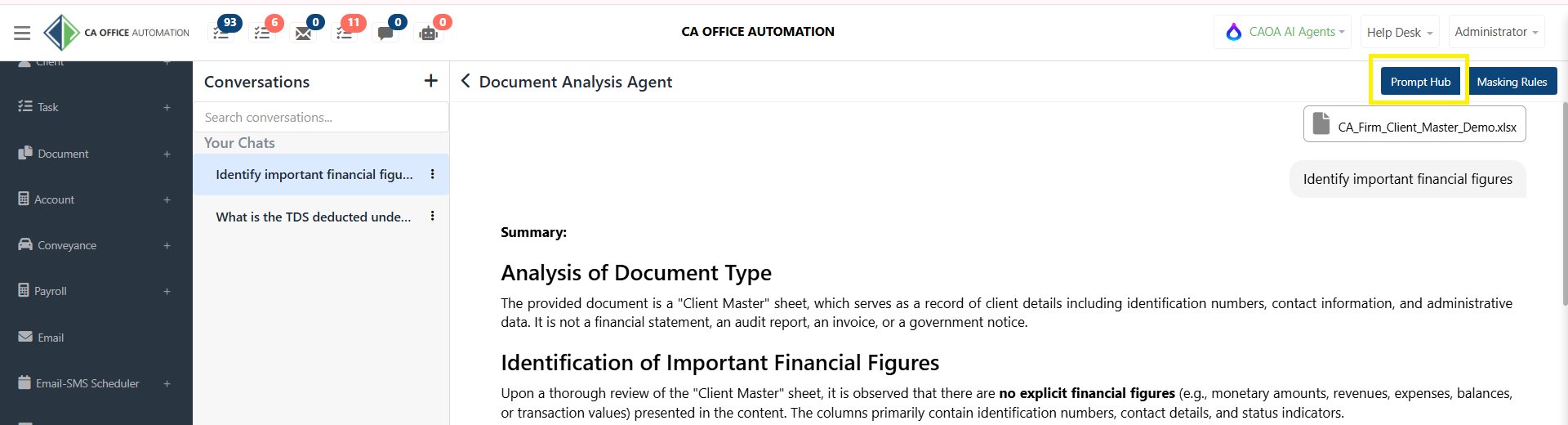
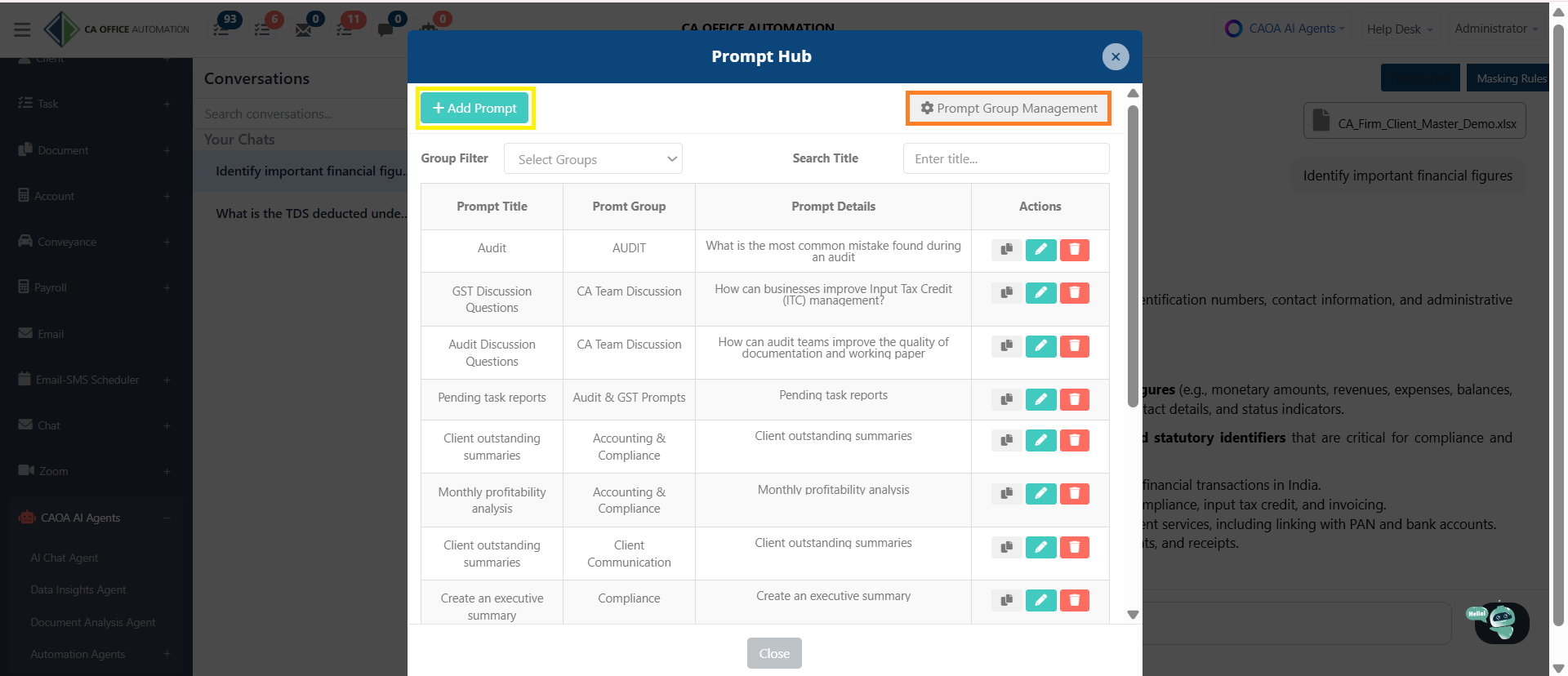
The Prompt Hub allows users to save frequently used document-analysis instructions.
For example:
- Create an executive summary
- Identify compliance risks
- Extract financial highlights
- Review tax-related observations
Saved prompts can be reused anytime, helping users maintain consistency and save time.
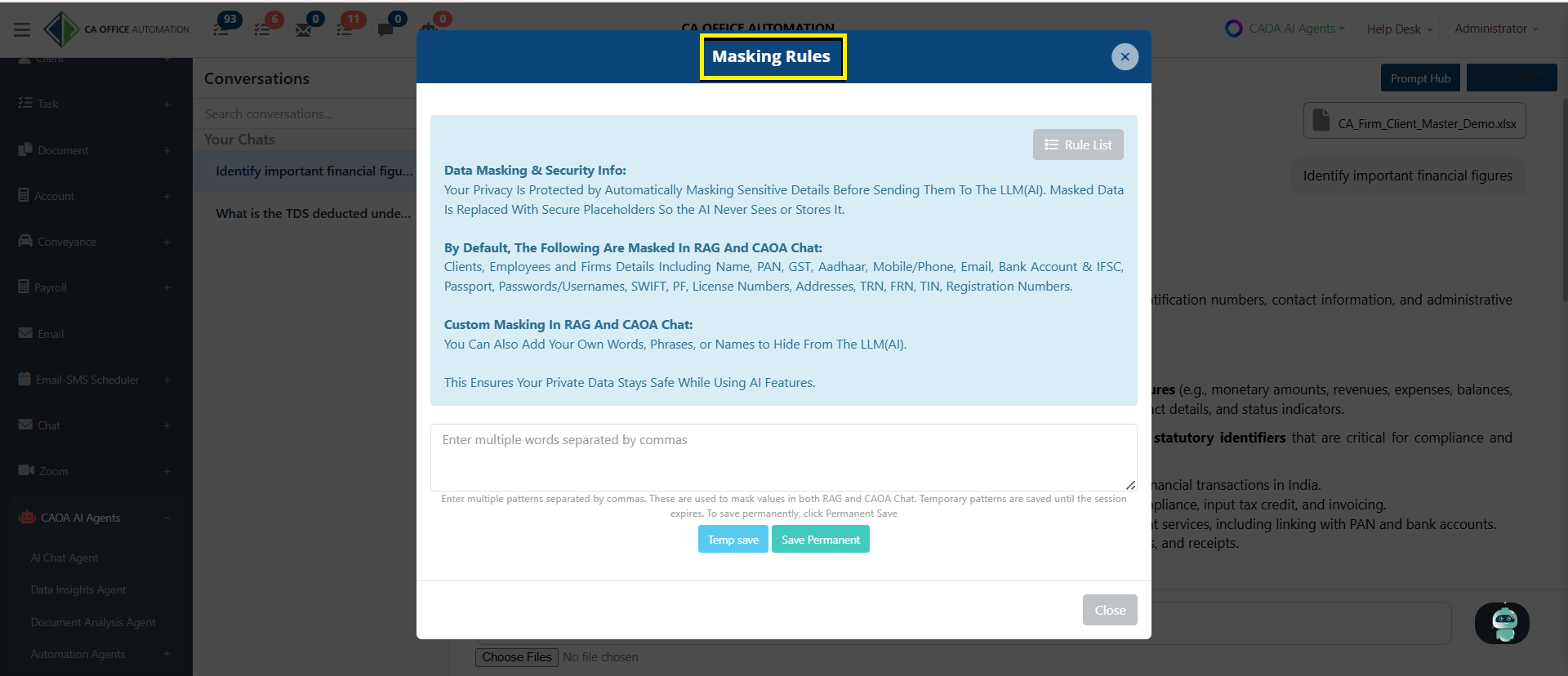
Security is a key component of the Document Analysis Agent.
Using built-in Masking Rules, organizations can automatically protect sensitive information before documents are processed by AI.
Examples include:
- PAN Numbers
- Aadhaar Numbers
- GST Numbers
- Bank Account Details
- Mobile Numbers
- Email Addresses
- Client Information
- Employee Information
This ensures confidential data remains protected while still allowing users to leverage AI-powered document analysis.
The Document Analysis Agent helps organizations:
- Analyze uploaded documents using AI
- Extract key information instantly
- Generate summaries and reports
- Answer document-specific questions
- Improve accuracy and decision-making
- Reduce manual review effort
- Save valuable time
- Protect confidential information through data masking
With the Document Analysis Agent, you can transform lengthy documents into actionable insights within seconds.
Simply upload, ask questions, and let AI do the analysis for you.