Welcome to CA Office Automation's AI-Powered Productivity Suite — a powerful suite of Artificial Intelligence tools designed specifically for CPA, CA, Accountants, Tax Professionals, and Business Organizations.
With CAOA AI Agents, you can interact with AI, analyze your business data, understand documents, automate client communications, and get instant software support — all from within a single platform.
Let's take a quick look at the AI-powered agents available in CAOA.
Before using AI features, the AI service must be configured.
Let's see how.
AI API Configuration
Navigate to:
Setup → AI API
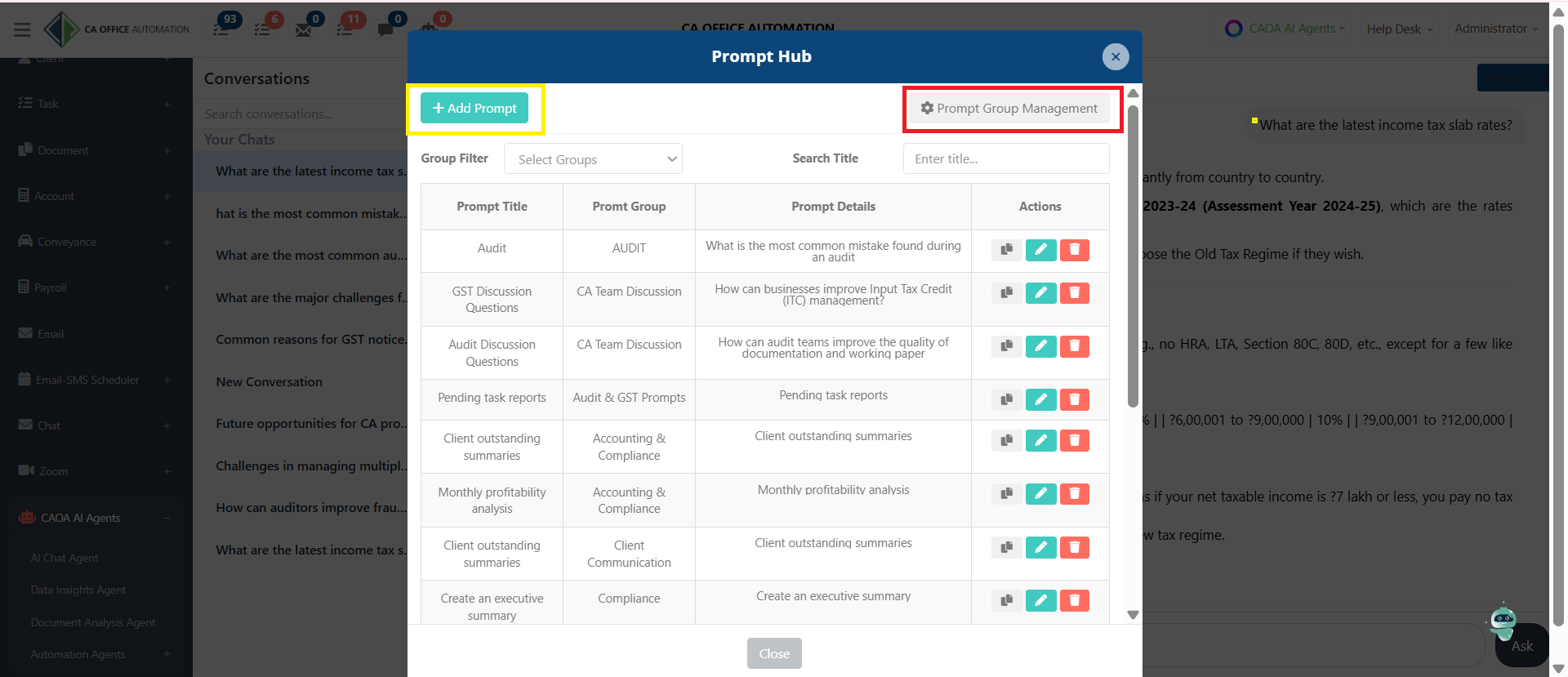
The AI API Configuration page allows administrators to connect CAOA with an AI provider.
This is a one-time setup required to activate AI-powered features.
Configure the integration by adding your details:
- Provider: Choose your preferred AI provider (Gemini, Chat GPT, Meta, etc.)
- API Token: Obtain your token and paste it here
- Model: Select the available model
Currently, Google Gemini 2.0 is available for FREE.
You can get your API token from aistudio.google.com.
Administrators can decide who can access the organization's AI configuration.
Users may work using:
• Organization AI Configuration OR
• Personal AI Configuration
This provides flexibility while maintaining security and control.
Now click on Save.
Once configured, AI features become available to authorized users.
AI Chat Agent
Navigate to:
- CAOA AI Agents → AI Chat Agent
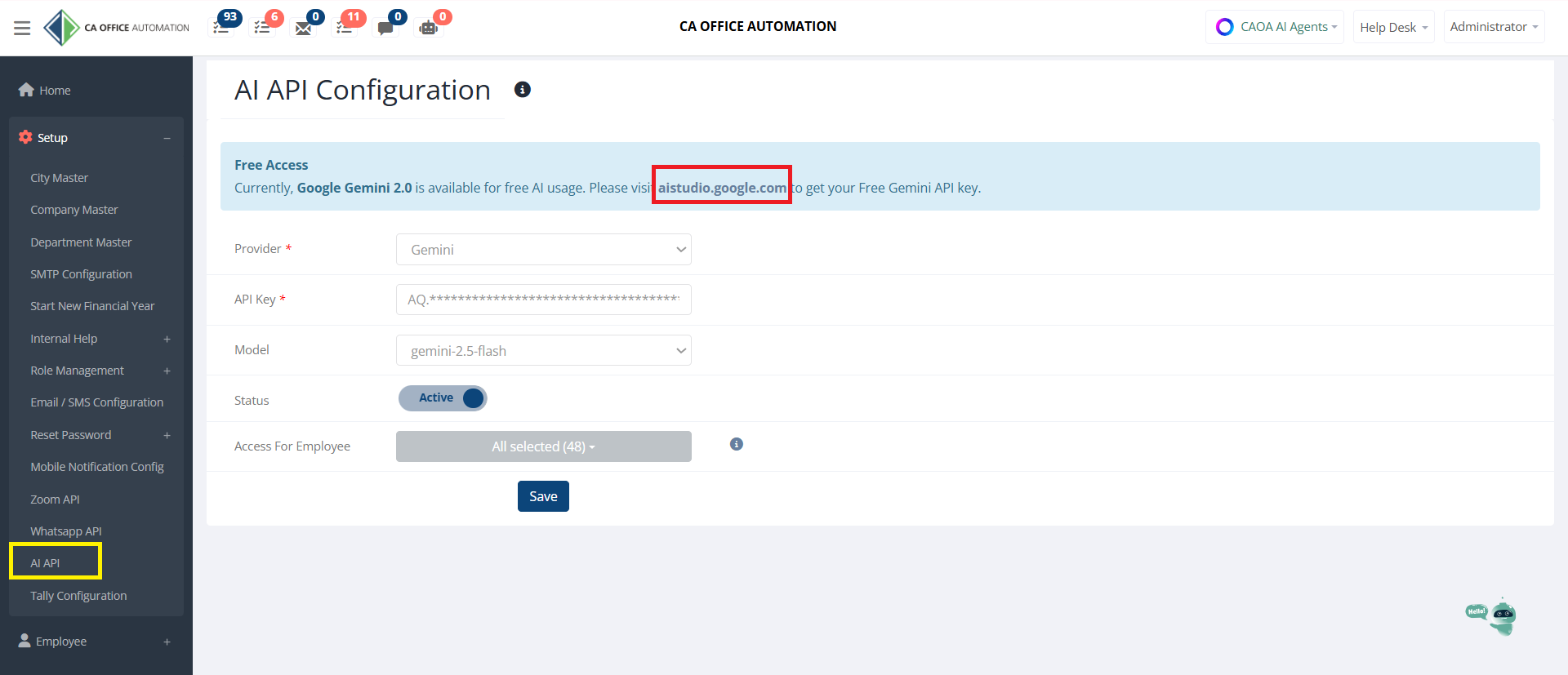
The AI Chat Agent enables users to interact directly with a Large Language Model, or LLM, from inside CAOA.
Instead of searching manually, users can ask questions in natural language and receive instant intelligent responses.
Simply type your question
Like
"What are the latest income tax slab rates?"
and click Ask.
The AI instantly generates detailed responses that can assist with:
Income Tax, GST, Audit, Compliance, Drafting & Research
Every discussion is automatically saved as a conversation that you can show in the left-side conversation panel.
Users can:
• Reopen previous chats
• Continue discussions later
• Maintain a complete AI interaction history
This makes knowledge retrieval easy and organized.
For each conversation, users can:
• Share discussions with colleagues
• Delete unwanted conversations
• Create Group Chats for collaborative usage
This allows teams to work together while leveraging AI assistance.
Prompt Hub:-
One of the most powerful productivity features is Prompt Hub.
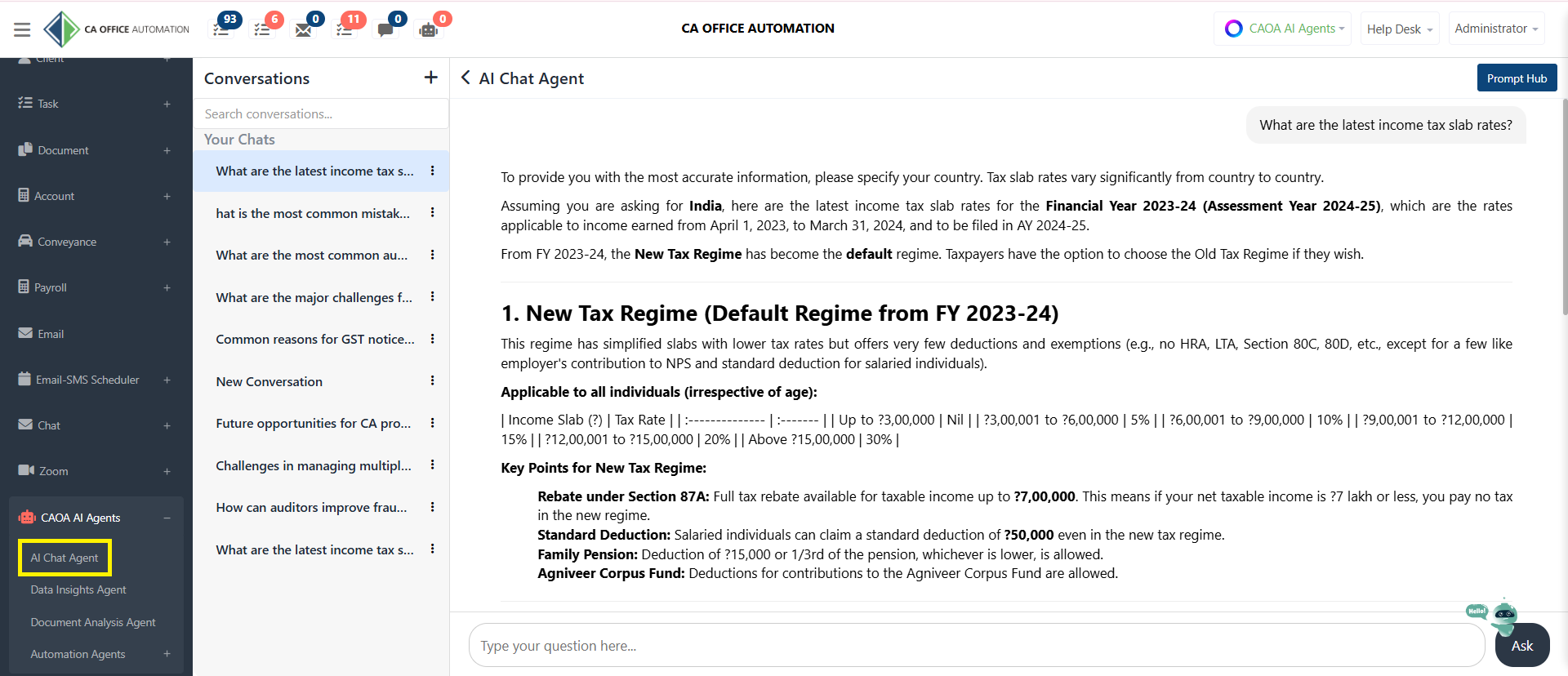
Prompt Hub allows users to save and reuse frequently used prompts.
Instead of typing the same instructions repeatedly, users can create a library of standard prompts.

Creating a prompt is simple.
Click Add Prompt.
Enter:
• Prompt Title, Prompt Group, Prompt Text
Then click Add.
The prompt becomes available for future use.
Prompt Group Management
Prompt Groups help organize prompts by category.
Examples include:
• Audit, GST, Income Tax, Compliance, Drafting, HR, Client Communication
This keeps prompts structured and easy to find.
Using Prompt Hub significantly reduces repetitive typing and improves consistency across teams.
The AI Chat Agent transforms how professionals interact with information inside CAOA.
With AI-powered assistance, conversation management, collaboration tools, and Prompt Hub, teams can work faster, smarter, and more efficiently.